How to submit a support ticket on the HOA Web Portal
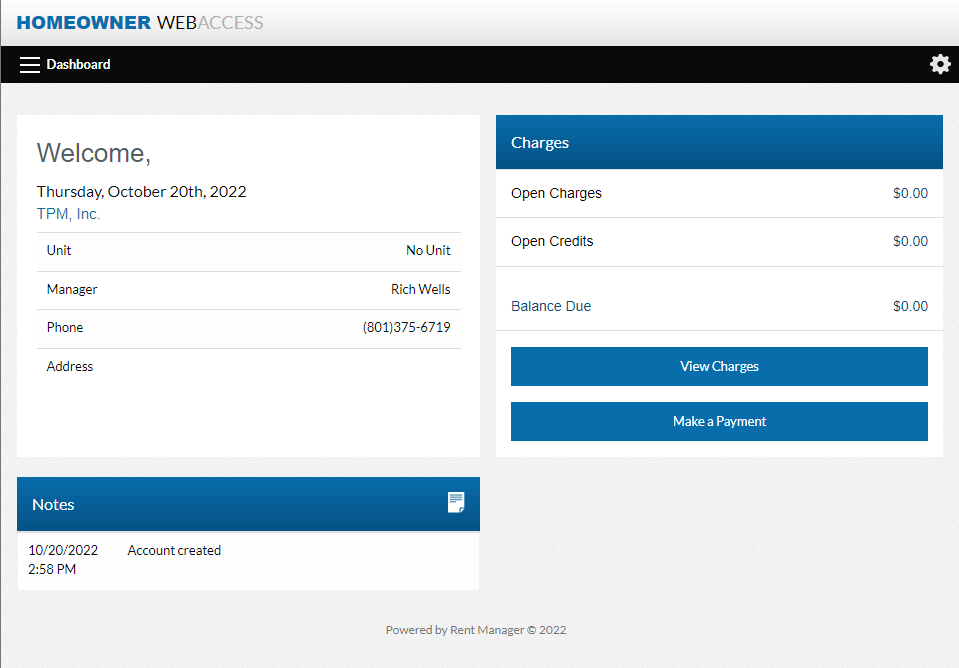
Once you’ve submitted your information to the New Owner Web Portal Setup Page, received the email that lets you set up your password and gets you to this page below follow the steps to submit a support ticket for repairs or account concerns.
First let’s click on Service Issues (Above)
Then Click on Add Service Issue (In Image Below)
After you’ve clicked on Add Service Issue. (Above)
You’ll find yourself on the Ticket submission page. (Below)
On the ticket submission page please fill out the ticket to the best of your abilities, including as much detail as possible.
The “Issue” Line should be a quick overview of the issue.
The “Description” box should include as many details as possible of the issue as well as general location (If Applicable) and if this issue has been reported previously.
Feel free to utilize the attachments box to attach pictures and documents supporting the issue to make our job easier to expedite repairs as needed.
If this is an internal issue that is HOA responsibility, please make sure to check the appropriate boxes under the attachment box, if not applicable just click no on both.
After you’ve verified all information is full and complete please make sure you click submit.
This will take you back to the service issues page from before where you can revisit to check on the status of your repair.